E2E Walkthrough · TurboTax · EZguide
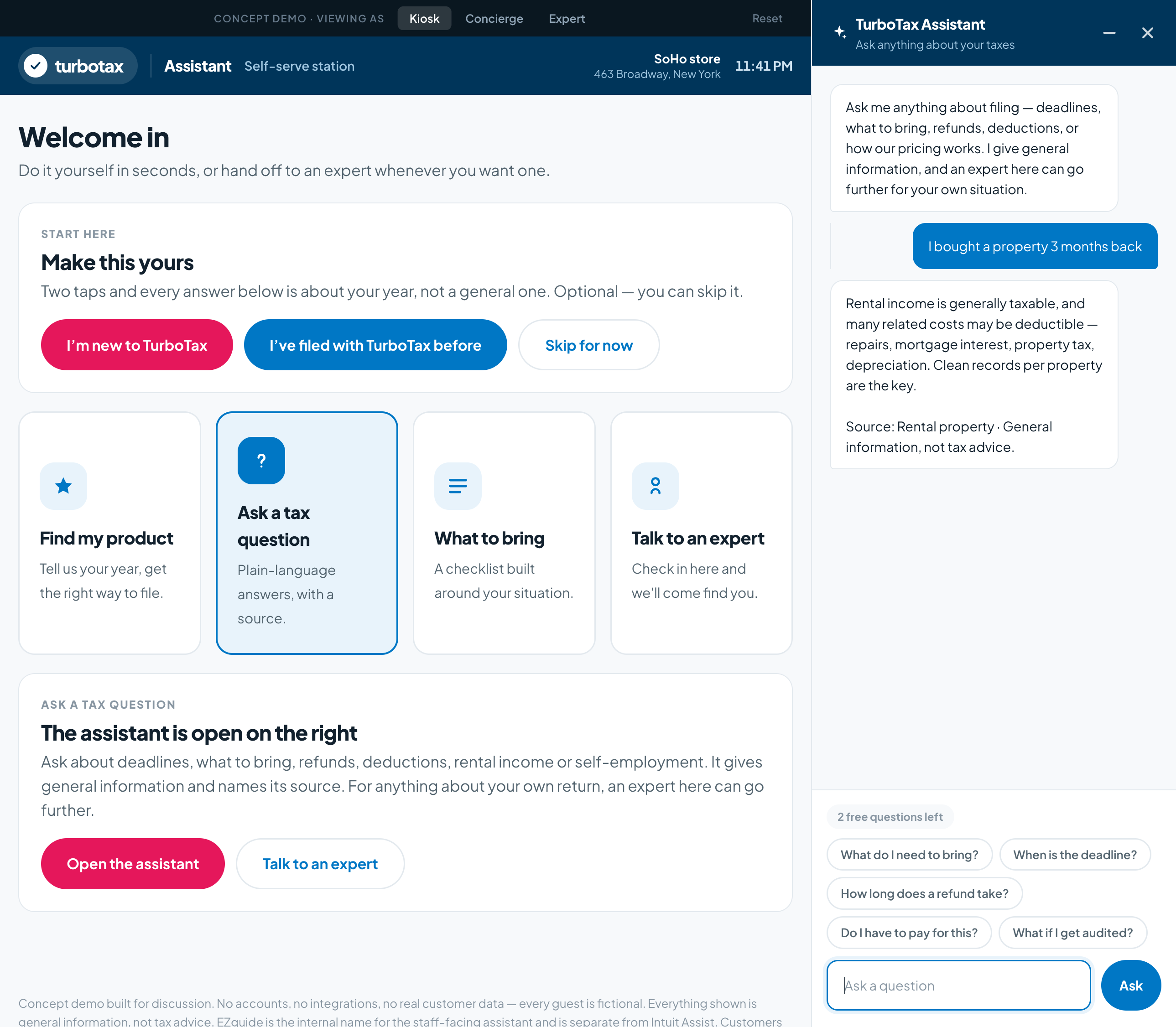
This walkthrough shows how EZguide would work inside a TurboTax store. It follows two customers, one with an appointment and one without, from the front door to the follow-up, and shows what the concierge and the expert see at each step.
Scroll to follow the journey
01
One store
Priya
Marcus
02
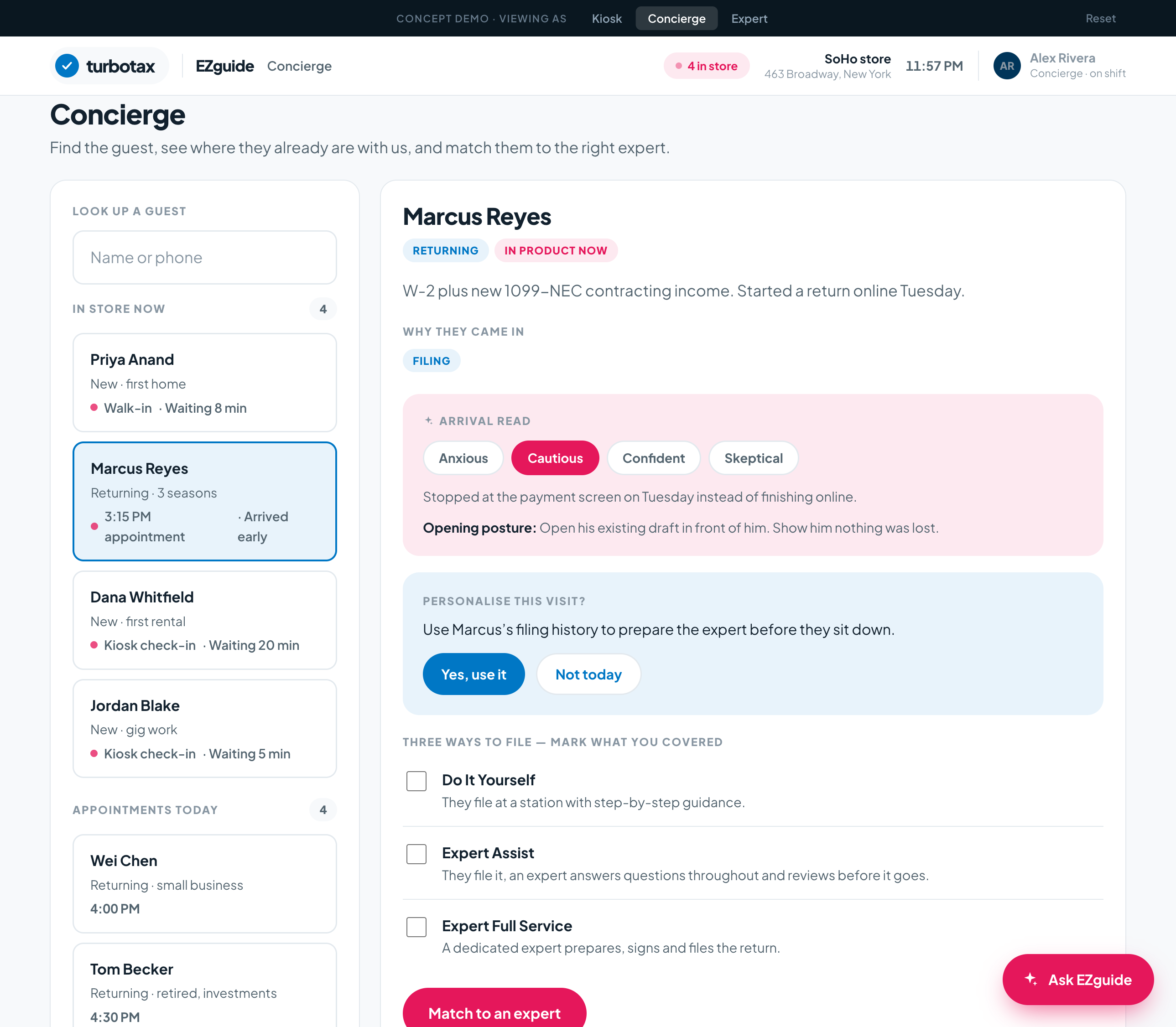
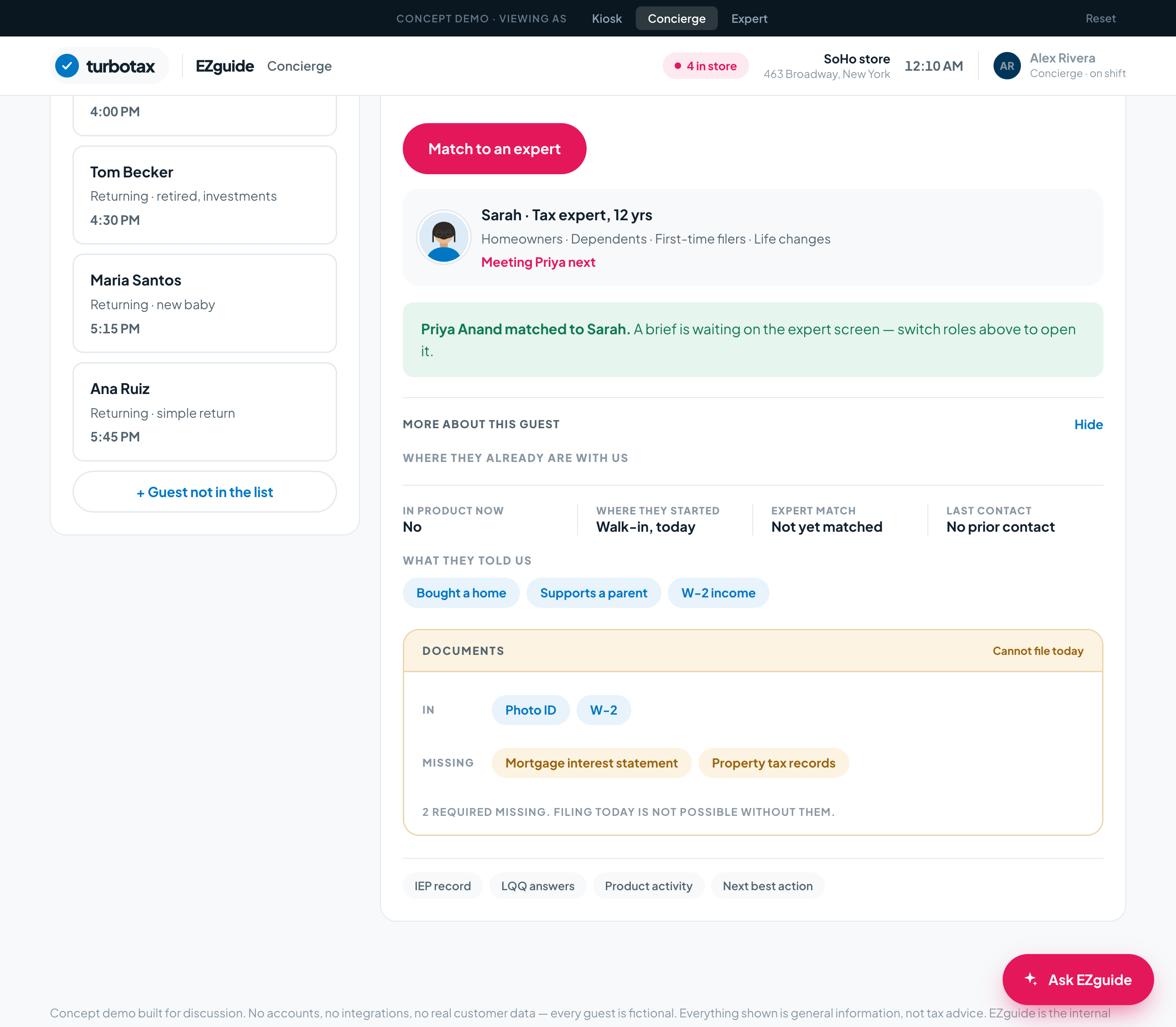
Same greeting for both, but very different amounts of data.
Priya
PriyaI bought my first place in March. I want to get this year right.
Marcus
Shared moment
03
04
Priya waits eleven minutes in the lounge. The screen there explains how AI and human experts work together, so she arrives at the desk knowing the terms.
PriyaMarcus
05
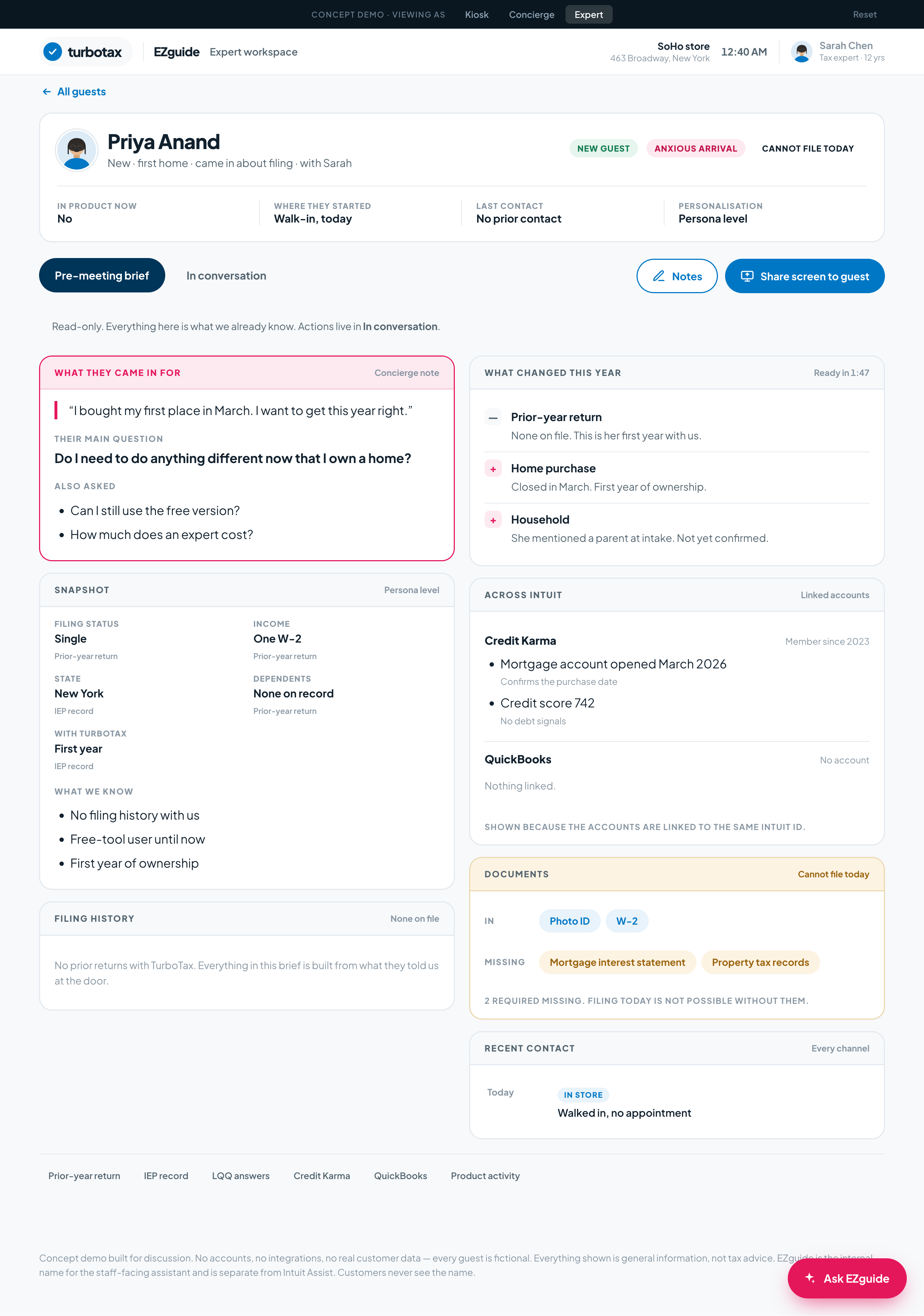
One brief, built before the meeting.
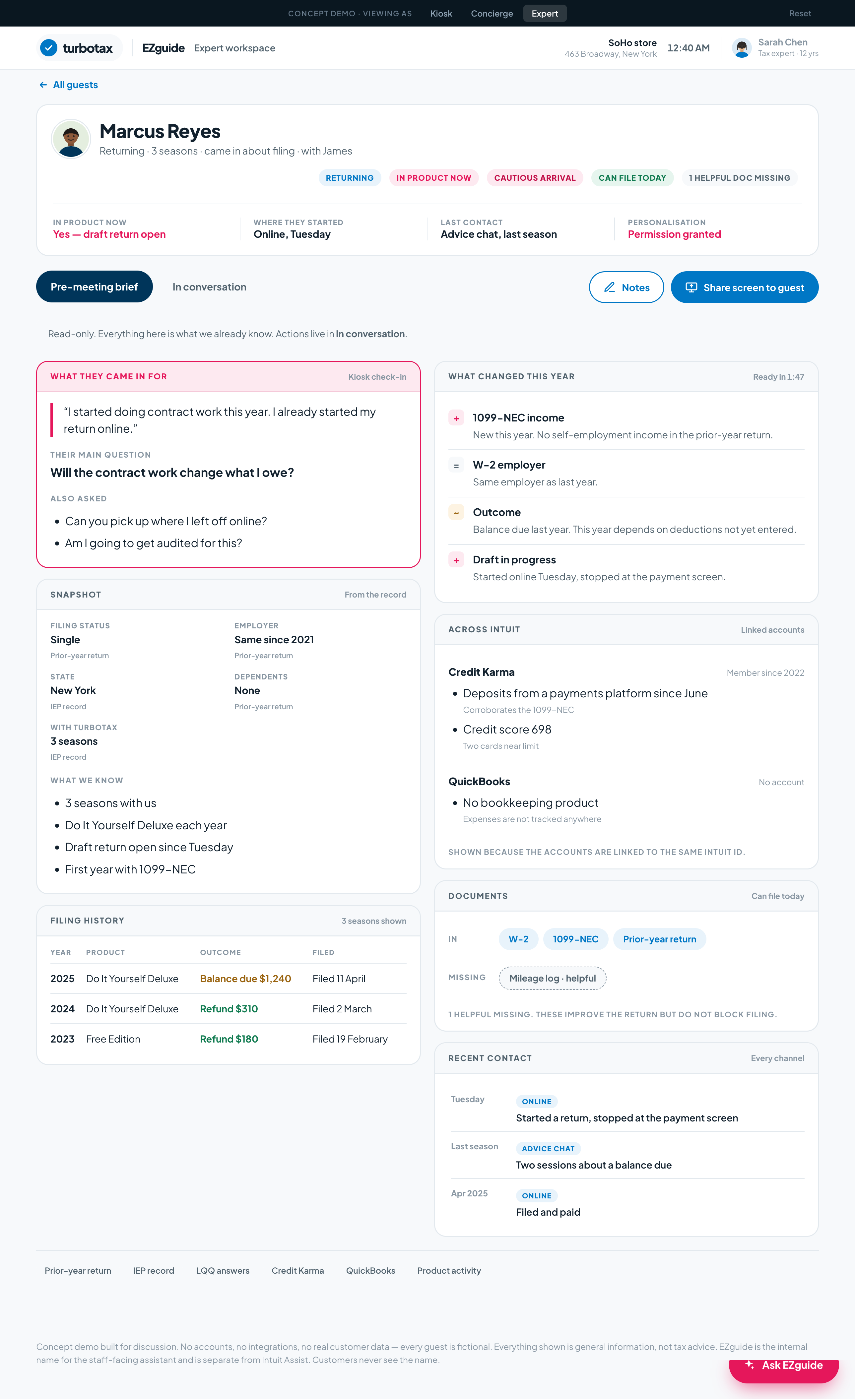
It is read-only. It combines what was collected at check-in, the customer's filing history with TurboTax, and data from other Intuit products, and it shows whether they can file today.
Priya
Marcus
06
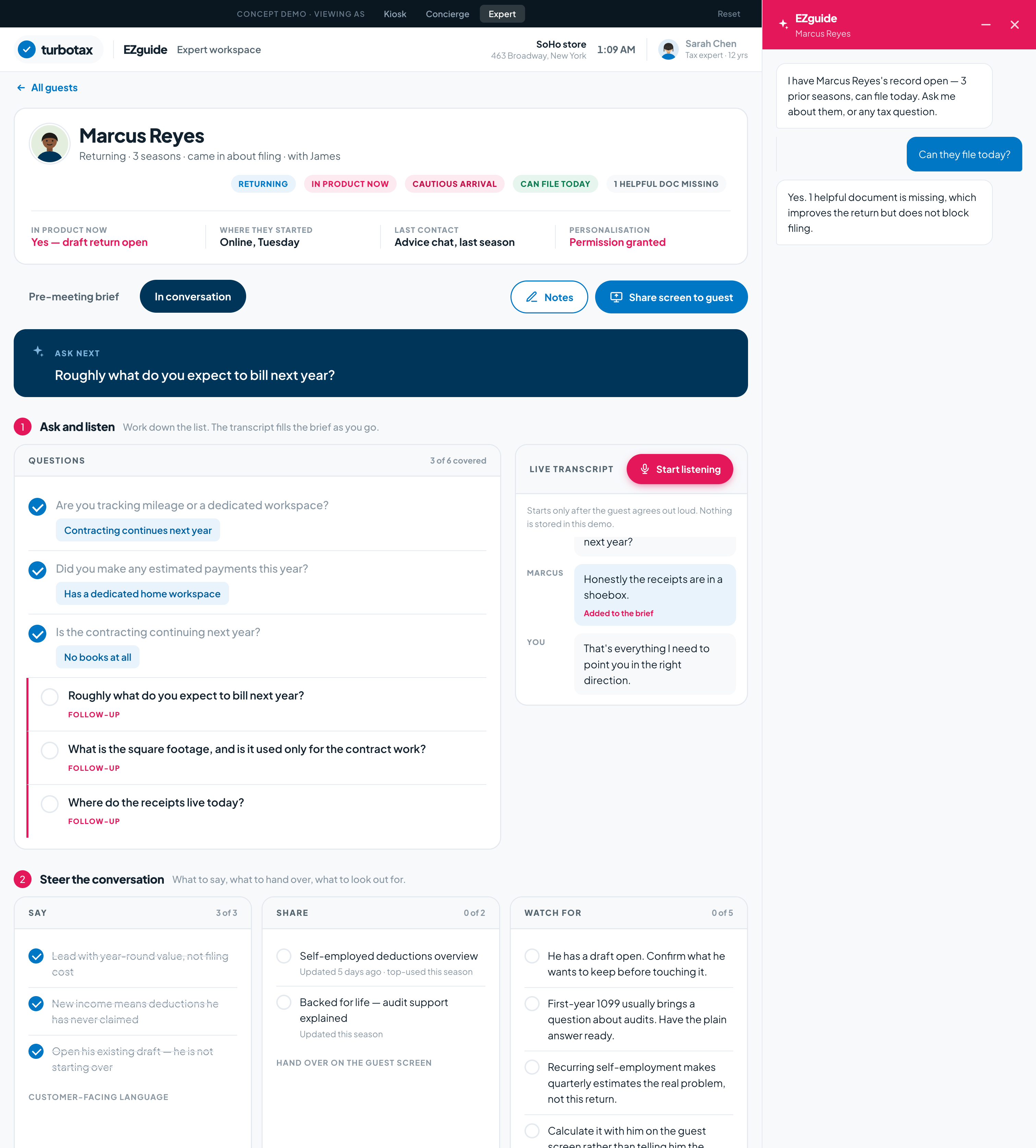
Marcus mentions a spare room, and four things change.
Once the customer agrees out loud, EZguide listens to the conversation. The transcript, typed notes and tapped answers all feed the same brief in the background.
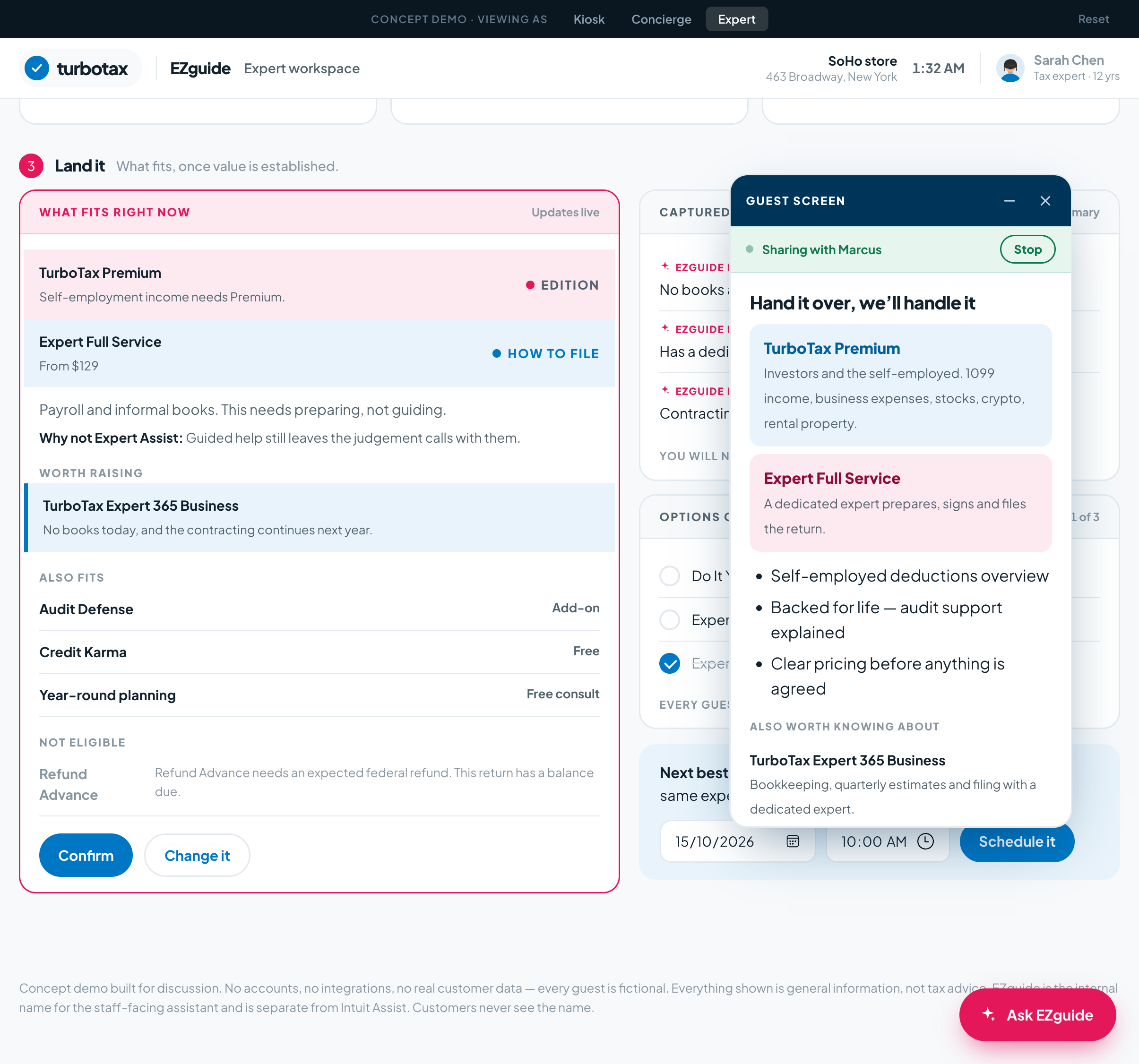
Both paths, same ending
07
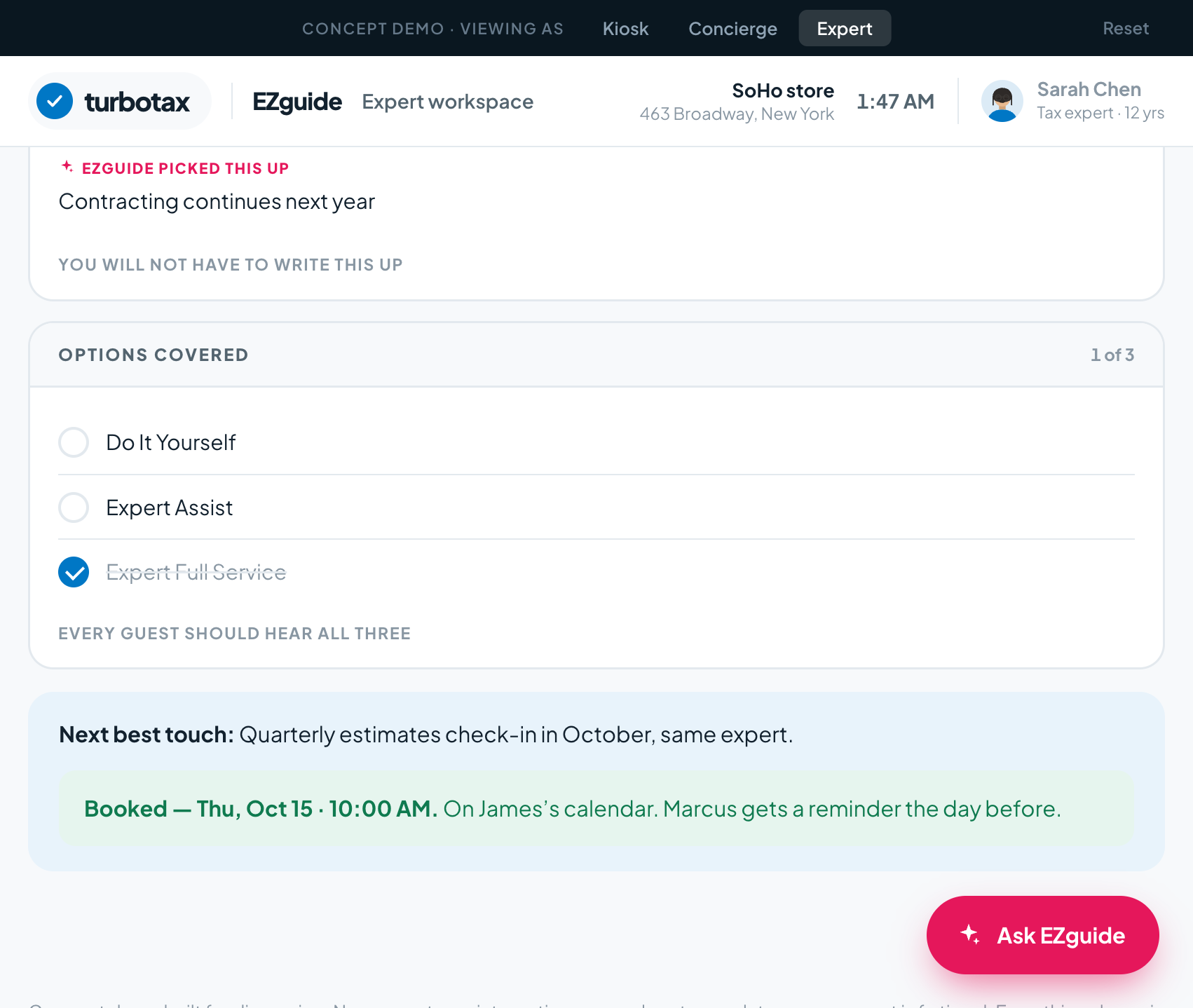
Both customers leave and the expert moves to the next appointment. The follow-up continues without either of them doing anything.
That last row matters. The reason is logged with the change, not just the outcome.
08
How it works for assisted sales
Works with what Intuit already has: the data platform, content library, next-best-action models and expert consoles. No migration, consent-aware by design, and aligned to the sales motion Intuit is building.